Carve Wood Wiki Customer Bonus Guide for Carve Wood on Roblox
Bank logs, read the bonus icon, and stack the round with your workers.
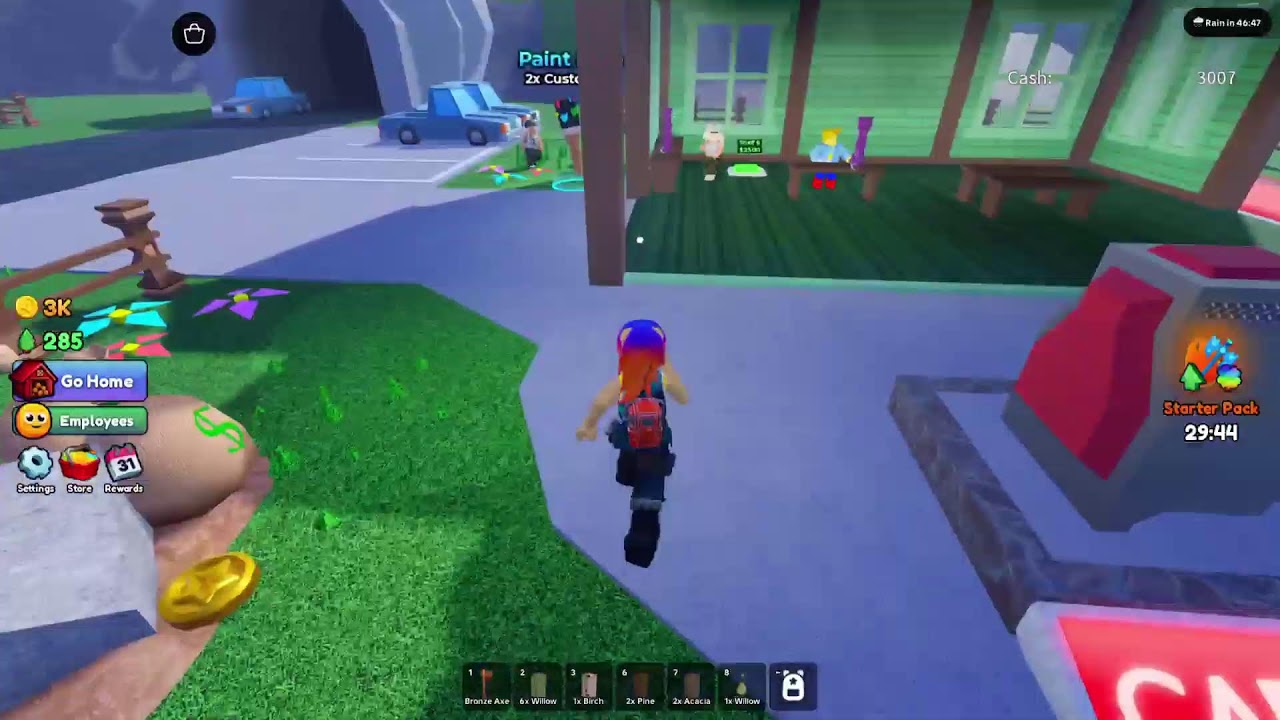
The customer bonus is the single biggest cash swing in Carve Wood on Roblox. When the highlighted customer walks up to your stall, every log you sell inside the 30-second window pays 2x to 5x the standard rate. Players who learn to bank logs and dump them during the bonus window out-earn players who sell every chop the moment it drops, even when their axe and workers are identical. This guide walks through how the bonus works, how to read the icon, and how to stack the round with your worker boost so the cash compounds across the whole session.\n\n## How the customer bonus works\n\nThe customer bonus is a global timer that triggers at random intervals while you are online in Carve Wood on Roblox. A regular customer pays the base rate for each log you sell — 12 cash for a Common log, 18 for Rare, 25 for Epic, 35 for Legendary. When the bonus spawns, the next customer pays a multiplier on top of the base rate. The multiplier is shown on the customer icon before you walk over to the stall, so you always know the size of the round before you commit any logs.\n\nThe bonus window lasts 30 seconds from the moment the customer spawns. If you walk them off without selling at least once, the window closes and the next customer pays the standard rate. The bonus does not stack — you cannot bank a 5x round to add to the next 2x round — but you can stack the multiplier with any worker speed boost that is currently active on your lumber yard.\n\n## How to read the bonus icon\n\nThe customer icon appears above the customer stall on the main heads-up display. The icon has three states:\n\n- Gold ring + 2x badge — a 2x cash round. Pay attention, but do not panic if you are mid-chop.\n- Gold ring + 3x badge — a 3x round. Bank everything you have and walk to the stall.\n- Gold ring + 5x badge — a 5x round, the rarest spawn. Sell everything you have, then chop another ten logs and sell those too if the window allows.\n\nA grey ring on the icon means the next customer is the standard rate. Ignore the icon and keep chopping — no bonus is worth burning your chop rhythm for.\n\n## When to bank logs before the round\n\nBanking is the core discipline of the customer bonus. A typical Carve Wood session runs as follows:\n\n1. Chop normally, but instead of selling each log immediately, carry it in your inventory.\n2. Hold ten to fifteen logs in your inventory — the exact number depends on how fast your current axe chops, but never sell mid-bank.\n3. The moment the bonus icon flips to gold, walk to the stall and sell every log.\n4. After the window closes, return to chopping and start the bank again.\n\nThe trick is to bank before the bonus spawns, not after. If you wait for the icon to flip before you start selling, you lose the first three to five seconds of the window — and three seconds of a 5x round is the same cash as a full chop at the standard rate. The How to make money fast guide covers the wider money loop, but the customer bonus is where the discipline matters most.\n\n## How to stack with your worker boost\n\nThe customer bonus multiplies the cash you earn; the worker boost multiplies the chops you produce. The two stack cleanly if you time them. Most Carve Wood player boosts last 30 minutes, which lines up with the average bonus cadence of one round every five to ten minutes during peak Roblox hours.\n\nThe optimal stacking pattern is:\n\n- Trigger the worker boost the moment you log in.\n- Chop and bank for the first two minutes, ignoring the standard-rate customers.\n- Sell the bank the moment the first bonus icon flips.\n- Chop and bank again for the next bonus.\n- Repeat until the boost timer expires, then log out for a new session.\n\nThis pattern is the backbone of the speed-run build on the Best player builds page. Pair it with the idle build if you only get one session per day — the bonus multiplies your active chops but it does not affect the offline growth rate.\n\n## When the bonus is not worth chasing\n\n- If you are in the middle of upgrading your axe, finish the upgrade first. Chopping while an upgrade is queued freezes the animation and forfeits the bank.\n- If a new biome gate is one milestone away, chase the milestone instead. Bonus cash is wasted if you cannot spend it on the next gate.\n- If you are below ten logs in the bank, skip the round. Selling two logs at 5x still pays less than selling twenty logs at 2x.\n\n## Reader cross-links\n\n- Need the wider money loop? Read How to make money fast.\n- Need the worker that boosts the bonus window? See How to hire workers.\n- Need an axe that chops fast enough to refill the bank? See the Axe tier list.\n- Want to know if the bonus rate has changed this patch? Check the Update log.
Frequently Asked Questions
Quick answers to the most common questions.
How long does the customer bonus window last in Carve Wood?
30 seconds from the moment the highlighted customer spawns at the stall. Selling inside the window captures the full multiplier.
What is the highest customer bonus multiplier?
5x is the rarest spawn. The icon shows 2x, 3x, and 5x variants; 5x is the goal round most Carve Wood players bank for.
Should I sell logs immediately or bank them for the bonus?
Bank them. Hold 10 to 15 logs in your inventory, then sell everything the moment the gold icon appears on the stall.
Does the customer bonus stack with worker boosts?
Yes. The bonus multiplies your cash while the boost multiplies your chop speed — they compound cleanly when timed together.